Check before you call
A confirmation screen appears just before the call. Review the contact name and number, then place the call when you are ready.
Android Call Confirmation App
Outgoing Call Confirm lets you check the contact name and phone number immediately before placing a call.
Add a simple confirmation step to help prevent accidental or misdialed calls. The app also supports automatic prefix dialing, vibration alerts, and call-duration timers.
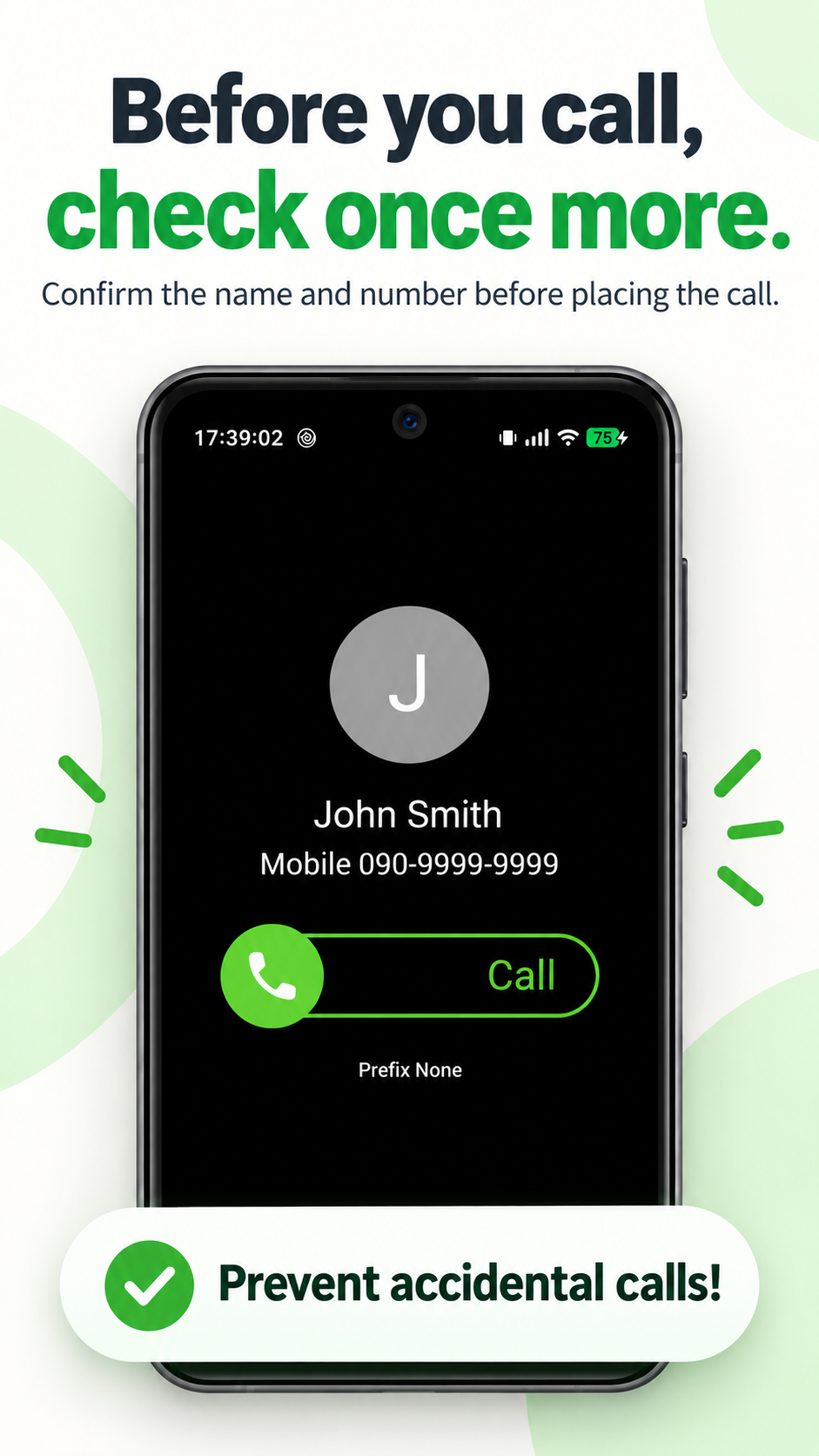
A confirmation screen appears just before the call. Review the contact name and number, then place the call when you are ready.
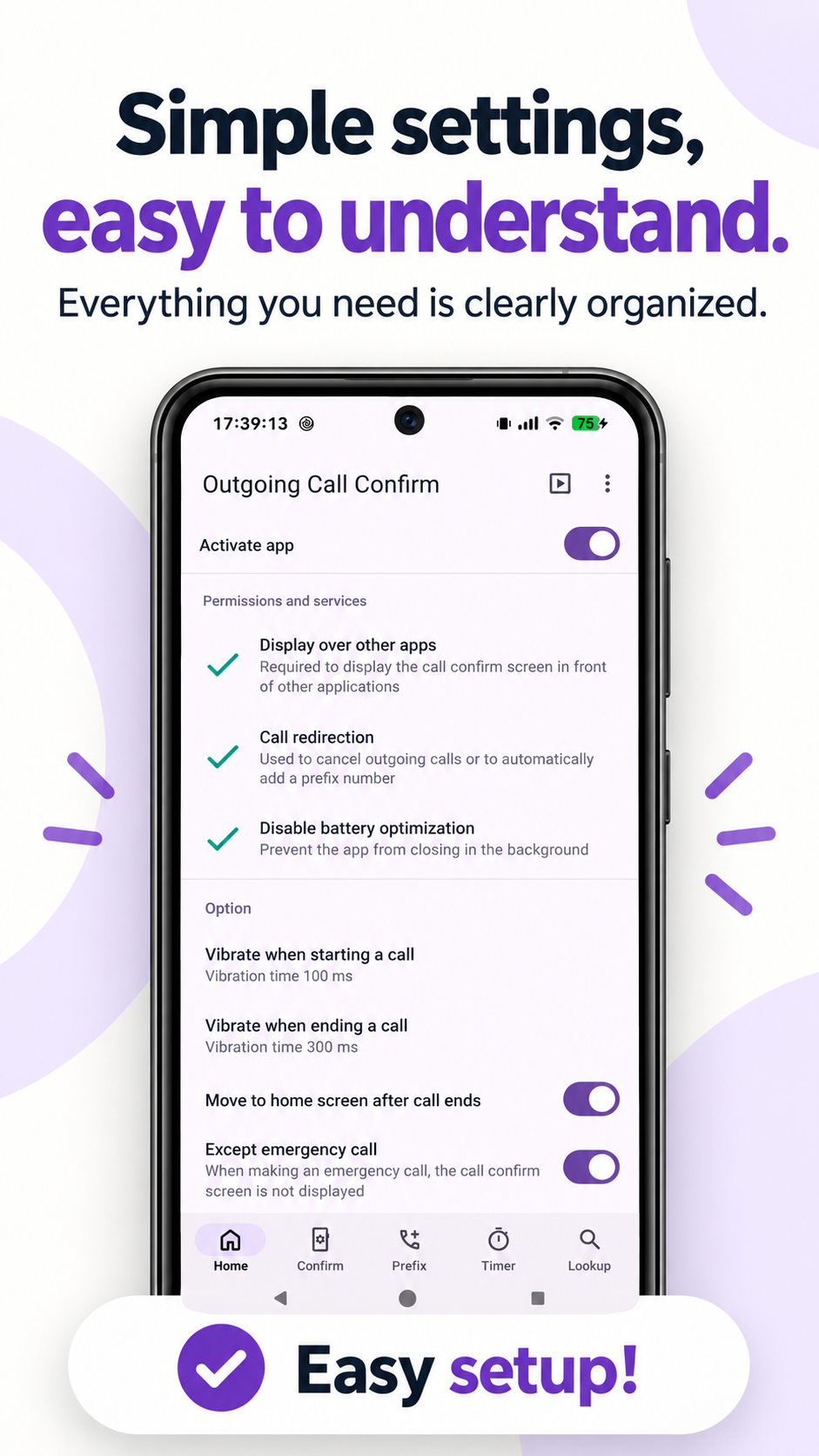
Required permissions, services, and call-related options are clearly organized so you can see what the app needs.
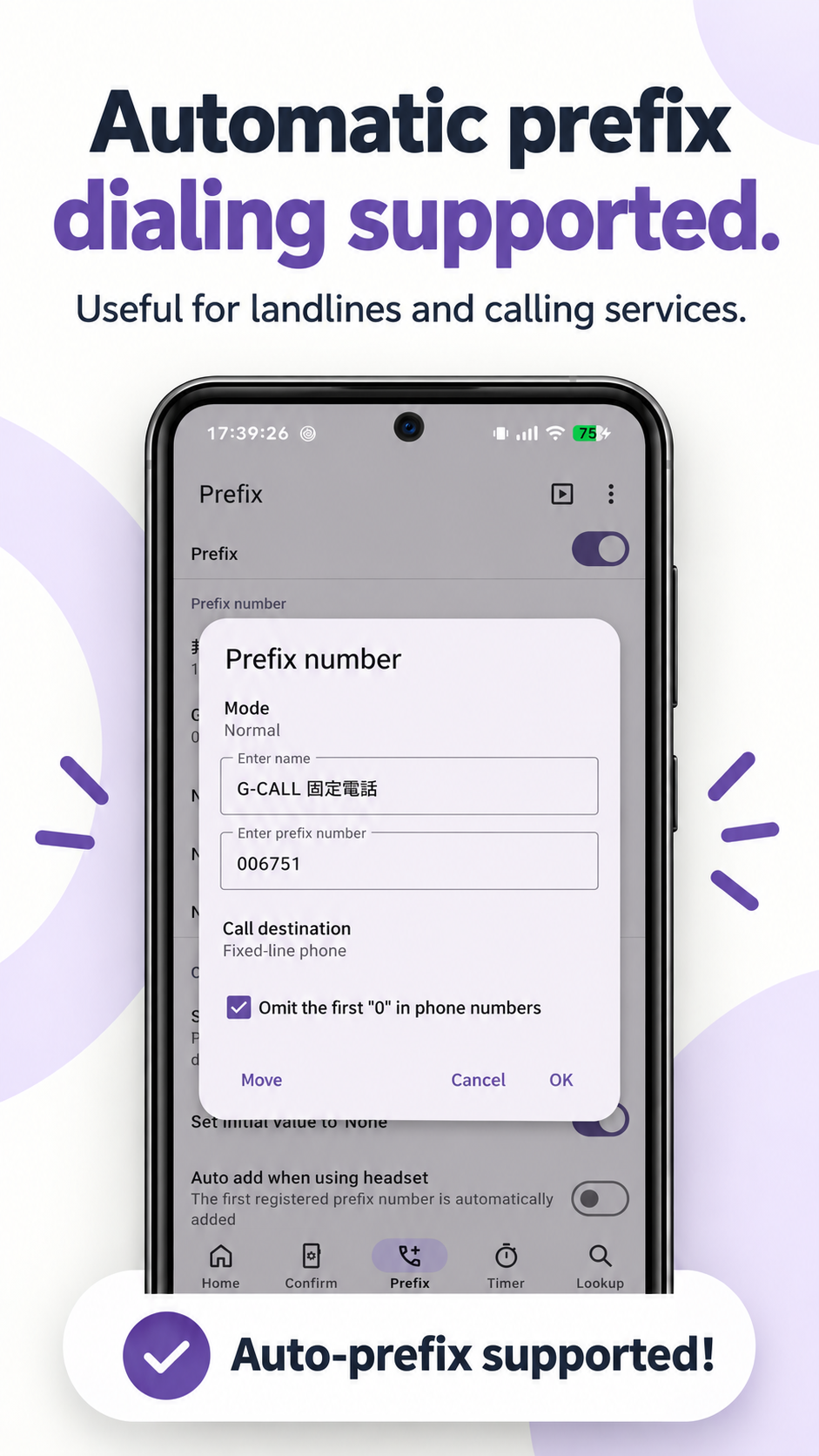
Register prefix numbers for landlines or calling services and automatically add them when the configured conditions match.
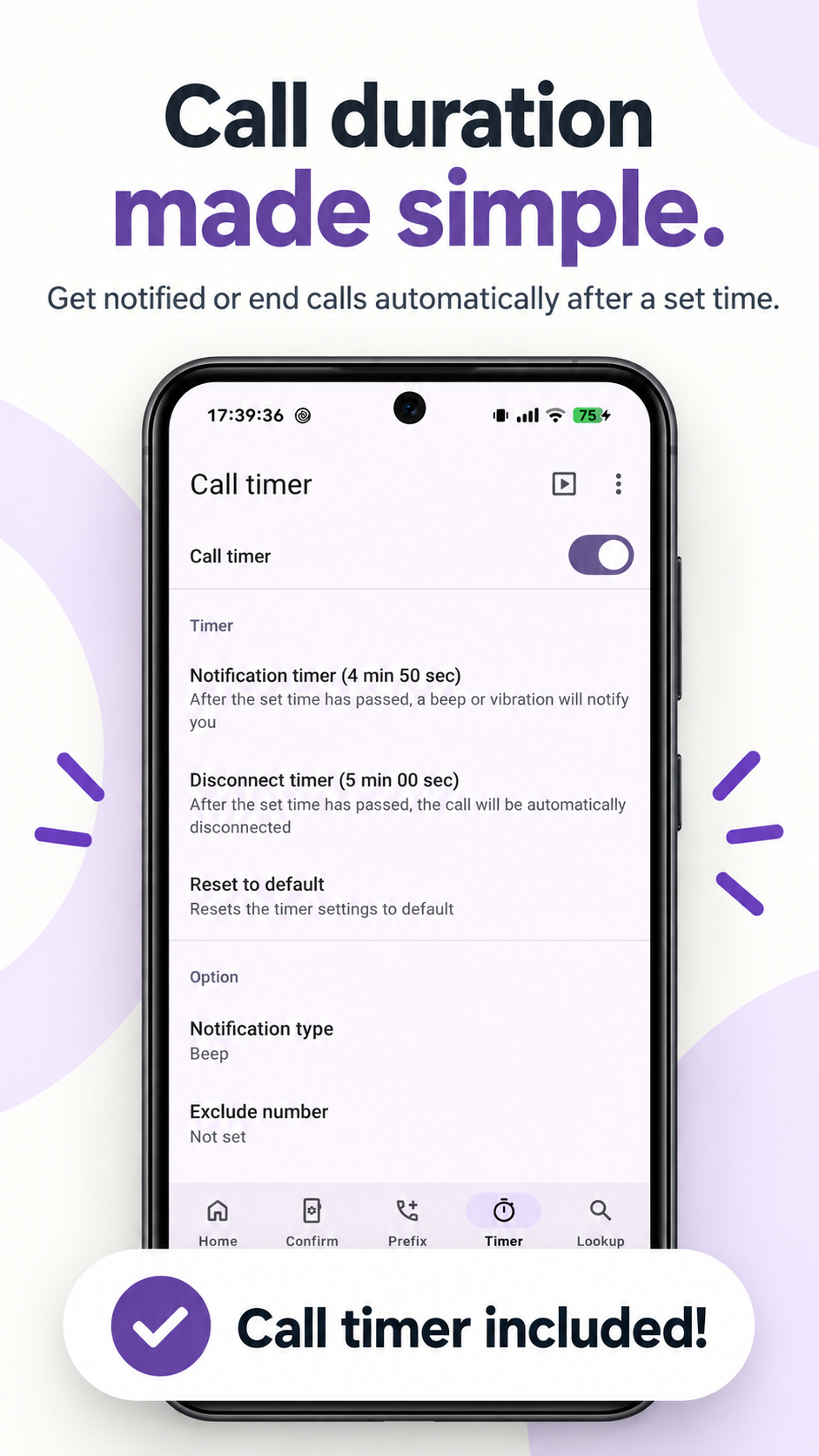
Get notified after a set time or automatically disconnect the call after the configured duration.
It is easy to tap the wrong contact or start a call unintentionally. Outgoing Call Confirm adds a confirmation screen immediately before the outgoing call so you can review who you are calling before the call is placed.
The app is designed to add a straightforward confirmation step to your normal phone workflow rather than replace your contacts or dialer.
In addition to call confirmation, you can register and automatically add prefix numbers, use vibration when calls start or end, receive call-duration notifications, and configure automatic disconnection after a set time.
An option is also available to skip the confirmation screen for emergency calls.
Before you call, check once more.
Confirm the name and number, then call with confidence.